Drop sounds into your mic.
Change your voice. Live.
CHUDBOARD is a soundboard and real-time voice changer that plays straight into Discord, games, Zoom — anything with a mic. Your real voice keeps working. No second app needed.
The app is built and in final testing — public download opens soon.
Built for the group chat chaos
Every feature runs inside CHUDBOARD — no drivers to wire up, no second mixer. The core app is free; PRO unlocks the power toys.
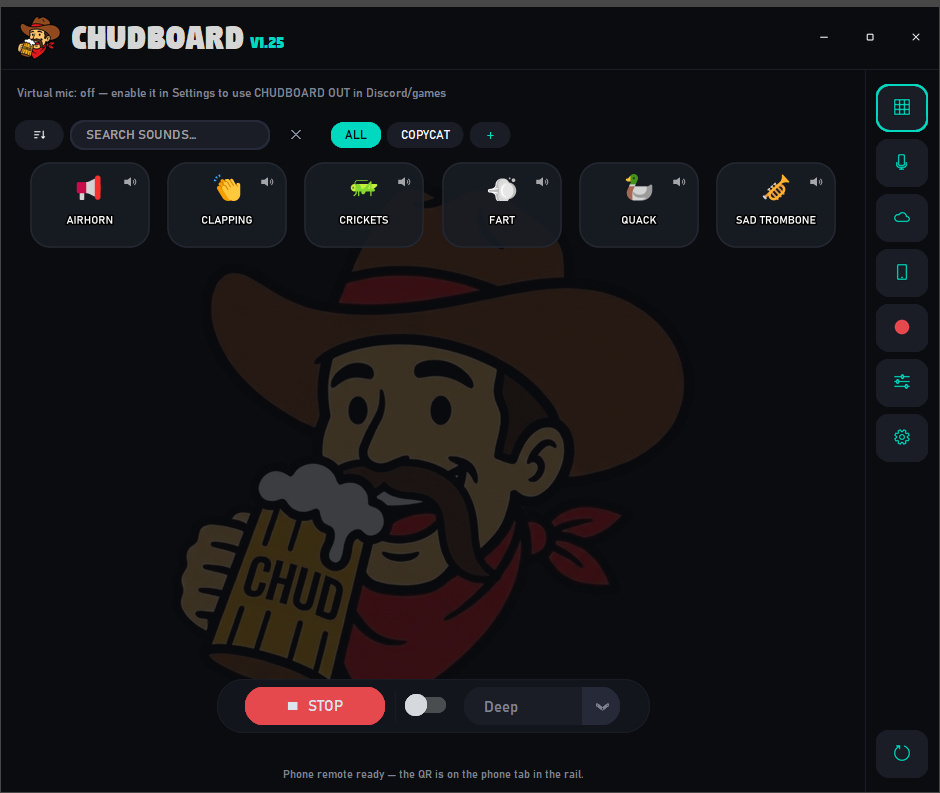
Instant soundboard
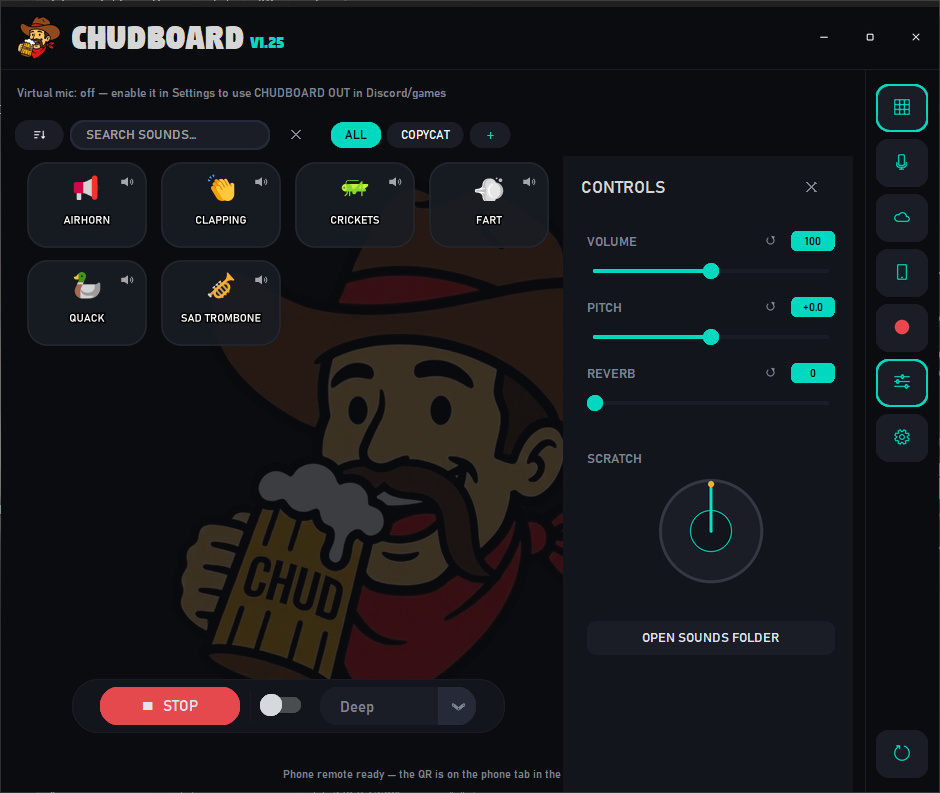
Drag in any .mp3, .wav, or even a video — it auto-converts. Tap or hit a global hotkey to fire it into the call. Spam-click to layer. Custom icons, favorites, and boards keep it tidy.
Real-time voice changer
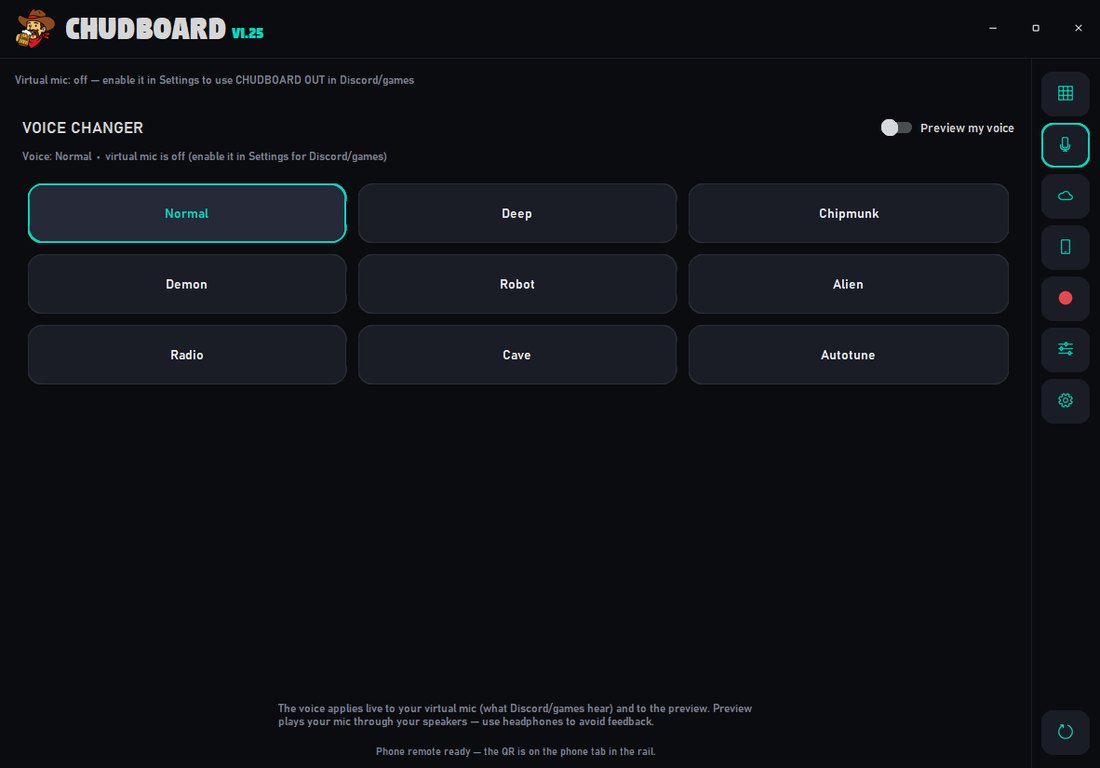
Nine live voices layered right over your mic alongside your sounds. Deep and Chipmunk ride free — Demon, Robot, Alien, Radio, Cave, and Autotune join with PRO. Flip through them without leaving your game.
Its own virtual mic
No Voicemeeter, no routing headaches. CHUDBOARD mixes your real voice + soundboard into a mic called CHUDBOARD OUT that every app just sees. One-click setup.
COPYCAT & Parrot ModePRO
Capture the last 30 seconds of anything you hear and fire it back. Or arm Parrot Mode and CHUDBOARD auto-mocks whoever's talking in a chipmunk or demon voice, instantly.
Phone remotePRO
Scan a QR and drive the whole board from your phone — play sounds, change your voice, upload clips, even snap a video and it converts to MP3. Add it to your home screen and it feels like an app.
Community library
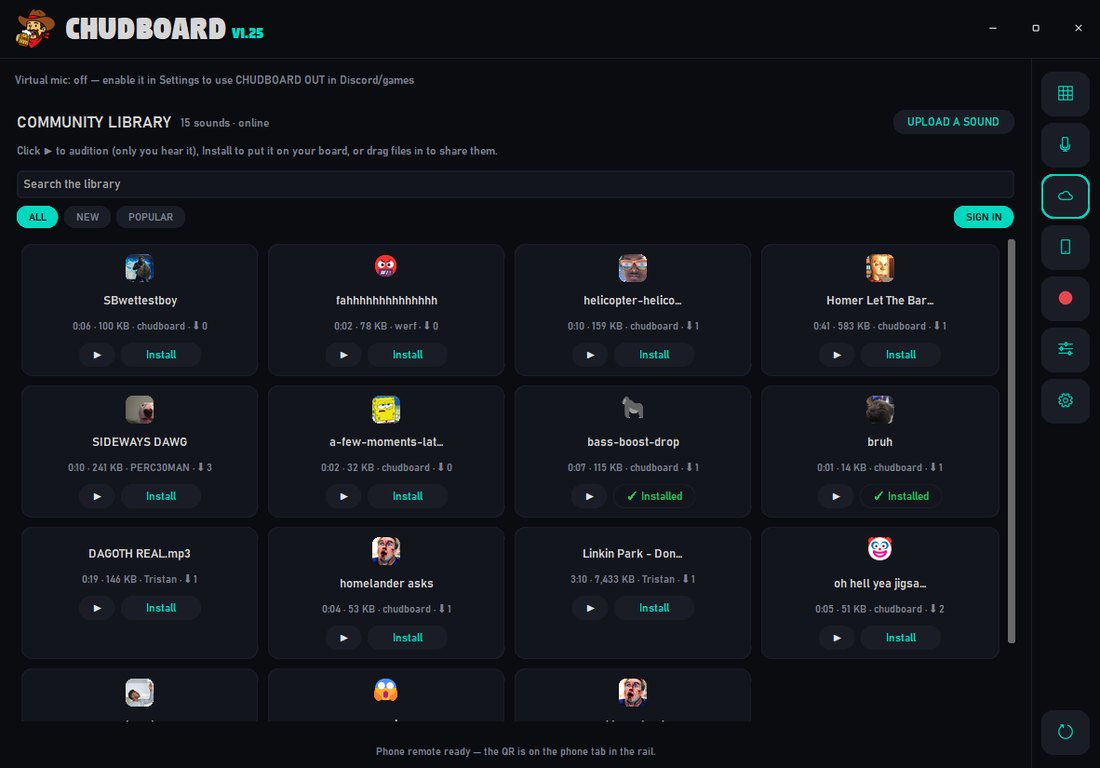
Browse the shared library, preview any sound, and upload your own for everyone to hear — free. Installing the community's sounds onto your own board is the PRO half of the deal.
Three steps
Download & open
One .exe, everything bundled. First launch drops a sounds folder next to it with a demo clip to try.
Flip on the virtual mic
Open Settings, click Set Up Virtual Mic, approve the one-time prompt. CHUDBOARD OUT becomes your mic everywhere automatically. CHUDBOARD needs is a tiny, free signed audio driver (the official VB-Cable) that Windows requires to create a mic device. The app fetches and installs it for you.
Play & talk
Hop into Discord or your game — your voice, your sounds, and your chosen voice effect all come through the same mic. That's it.
This is the whole app
No mystery. This is the exact app — the free tier is this whole board, and PRO just unlocks more of it.
Free to start. Gold to go loud.
The free tier is a real soundboard, not a demo. PRO lifts the caps and unlocks the chaos toys — and if you ever cancel, nothing is deleted: the extras just re-lock until you're back.
- 125 sound tiles — trim any sound to 15s right in the app
- Deep & Chipmunk live voices
- Built-in virtual mic — no Voicemeeter
- Global hotkeys, boards, icons, DJ wheel
- Browse & preview the community library, upload your sounds
- COPYCAT, Instant Replay, Parrot Mode
- Autotune, Demon, Robot, Alien, Radio, Cave voices
- Phone remote
- Installing community sounds
- Unlimited sound tiles
- Sounds up to 5 minutes long
- All nine voices — Autotune, Demon, Robot, Alien & more
- COPYCAT — record & instant-replay what you hear
- Parrot Mode auto-mockery
- Phone remote — the whole board in your pocket
- Install any sound from the community library
- Everything in Free, obviously
PRO attaches to your free CHUDBOARD account — upgrade from inside the app (the gold PRO ✦ button in the title bar). Payments are handled by Polar; cancel anytime and your board stays intact: PRO features re-lock but nothing is ever deleted, and anything you shared to the community library stays shared.
A shared library, built in
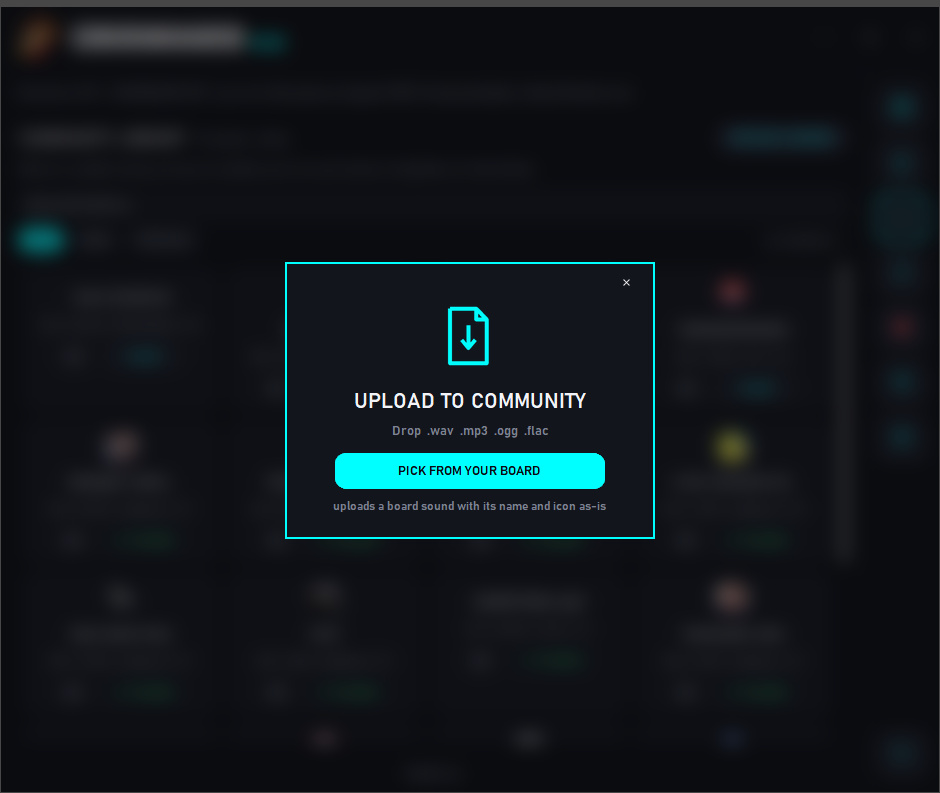
Browse and preview community sounds inside the app, upload your own straight from your board — and with PRO, install the bangers onto your own board in a tap.
Get CHUDBOARD freeFAQ
Is it really free?
The free version is a real soundboard, not a trial: 125 tiles, a built-in trimmer for longer sounds, the Deep & Chipmunk voices, the virtual mic, hotkeys, boards — no ads, and no account needed to play. A free account lets you upload to the community library, and CHUDBOARD PRO ($6.99/mo) lifts the caps and adds the other seven voices, COPYCAT, Parrot Mode, the phone remote, and installing community sounds.
What happens if I cancel PRO?
Nothing is deleted, ever. Your board keeps playing its first 125 sounds, the rest wear a small gold PRO pill until you resubscribe, PRO voices and the phone remote switch off, and anything you uploaded to the community library stays up. Come back any time and it all unlocks again instantly.
Windows says "protected your PC" on first launch — is that bad?
No. CHUDBOARD is a new indie app that isn't code-signed (signing costs money most hobby projects skip), so Windows SmartScreen shows a caution the first time. Click More info → Run anyway once and you're set — updates after that install silently. This is normal for small Windows apps.
Do I need Voicemeeter or extra drivers?
No. The only thing CHUDBOARD needs is a tiny, free, signed audio driver (the official VB-Cable) that Windows requires to create a mic device. The app fetches and installs it for you in one click from Settings — you never touch it.
How do updates work?
When a new version ships, CHUDBOARD shows an update button in the title bar and updates itself in place — no re-downloading from a browser, no SmartScreen prompt again.
What are the system requirements?
Windows 10 or 11, 64-bit. That's it — everything else is bundled in the single .exe.
Your call is about to
get a lot louder.
The free tier is free forever. Download it and drop your first airhorn in under a minute.
Download CHUDBOARDThe app is built and in final testing — public download opens soon.